Should it move at all?

beginner·7 min·Markdown for agents
What this lesson teaches
Decide whether something deserves an animation before you build one, and take motion out safely when it doesn't.
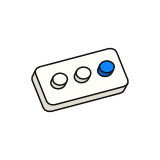
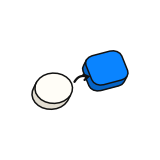
Press the button below a few times, fast. Both command palettes open the same menu. One of them is pretty the first time and in your way every time after.
Press it a few times fast. The left one is pretty once and in the way every time after.
That is the whole first lesson of motion: the default answer to "should this animate?" is no. Motion has to earn its place. Most of the craft in this module is about the cases where it does, but the most useful habit is asking the question at all.
Ask how often
Emil Kowalski, who built the toast library Sonner and the drawer library Vaul, starts every animation decision with one question: how often will someone see this?
Opened from the keyboard, many times an hour. Any motion is a wait between the shortcut and the result.
| How often | What it gets |
|---|---|
| 100+ times a day (shortcuts, tab switches, a command palette) | No animation |
| Tens of times a day (hover, moving through a list) | Almost nothing |
| Now and then (a modal, a drawer, a toast) | A standard animation |
| Rare or once (onboarding, a first success) | This is where delight lives |
Two hard rules sit on top of the table. Anything triggered from the keyboard doesn't animate. Someone who presses a shortcut wants the result, not a show. And data people are reading (a chart, a table, a number) doesn't move for decoration; it moves only when the value really changes.
Name the job
If it passes the frequency test, the motion still needs a job. Name one, or don't build it:
- Feedback: the button shows it heard your press.
- Where it came from: a menu grows out of the button you clicked.
- What changed: a toggle slides so you see it switch.
- Smoothing a jump: content that would otherwise teleport glides instead.
- Explaining: a demo shows how a feature works (marketing and onboarding only).
- Delight: only in the rare tier.
Three jobs that don't count: decoration, hiding slow code ("fix the code"), and "the animation library is installed, so let's use it".
Then pick the cheapest tool
Once something earns motion, reach for the simplest tool that does the job. A for a state you toggle. CSS @starting-style for something appearing for the first time. A CSS animation for motion planned in advance. A JavaScript library like Motion only for springs, gestures and exits that need it. The later lessons cover each decision in order: , then duration, then entering and leaving, then springs.
How often?
Use the table. Keyboard-triggered means no.What job?
Feedback, origin, state, smoothing a jump, explaining, or rare delight.Which tool?
The cheapest one that works.Which curve, how long, which property?
The next three lessons.
Four quick checks before you keep any animation: would the UI feel broken without it? Does it work with reduced motion on? Does it still look right played at quarter speed? Will it still feel right the fiftieth time?
Taking motion out without breaking things
The opposite job comes up just as often: "the app feels slow, tone down the motion." Deleting an animation looks like deleting one line. It rarely is.
The animation is usually holding something up you can't see in the diff.- Hidden start states. If an element starts at
opacity: 0and an animation fades it in, deleting the animation leaves it invisible forever. Delete both together. - Code that waits. A
setTimeoutsized to the animation, or a handler waiting for it to end, keeps pausing the UI for motion that no longer exists. - Exits that delay unmounting. Libraries hold a closing component on screen until its exit finishes; with no exit, whatever ran "after" must run immediately.
- Layout animations hiding a jump. If removing one makes content lurch, keep it and fix the lurch separately.
- Focus and tests that were timed to the animation.
Before deleting, try reducing:
| Today | Reduced to |
|---|---|
| Hover with scale, lift or a growing shadow | Color or opacity only, 150ms or less |
| A slide or scale entrance on something frequent | Opacity only, 150ms |
| Any UI animation over 300ms | 200–250ms on the same curve |
| A stagger over 80ms per item or 300ms total | 30ms per item, or fade the group at once |
| An endless pulse or shimmer | Play once, keep the end state |
Then clean up what the removal orphaned: unused keyframes, empty wrappers, imports. And keep a short list of what you deliberately kept, with the job that saved each one. That list is what makes it a restraint pass rather than deleting every transition in the repo.
Go through the animations in this app. For each one, tell me how often a user sees it and what job it does (feedback, origin, state change, smoothing a jump). Remove or reduce any that are keyboard-triggered, decorative, or seen 100+ times a day. When you remove one, also remove its start state (like opacity: 0), any timeouts or animation-end handlers that waited on it, and any orphaned keyframes. List what you kept and why.
Going deeper
This module teaches the decisions and the exact values. If you want to learn motion in depth, Emil Kowalski's course at animations.dev is the canonical resource; his libraries Sonner and Vaul, Jakub Antalik's transitions.dev catalog and the animated icon set at lucide-animated.com are the best places to read real, production motion code.
Quick check
A user opens your command palette with ⌘K about 150 times a day. What should its open animation be?
In the skill
The nodes your agent reads when it does this work.
- MOC — MotionWhen to animate, how to animate, and the discipline of restraint.
motion/MOC-motion - Animation decision frameworkShould this animate at all? Frequency-based decision tree. Most animations should be deleted.
motion/animation-decision-framework - Animation removal hazardsDeleting an animation is not find-and-replace. Remove its start state, the code that waits for it, and the orphans it leaves; reduce before you delete, and keep motion that bridges a jarring change.
motion/animation-removal-hazards - animations.dev — the canonical courseExternal pointer to Emil Kowalski's animations.dev course. Don't duplicate its content here.
motion/animations-dev-curriculum
Connected lessons
What this lesson builds on and leads to, across every course.